Assistive Technology (Communications Aids and AAC)
In this article, we look at Communication Aids and Alternative and Augmentative Communication (AAC) that may help your child.
Assistive technology can help make life easier and more accessible for disabled people. This article will focus on a specific type of assistive technology: Alternative and Augmentative Communication (AAC), also known as communication aids. It will explore what AAC can look like, how it may help, how to start the process of obtaining it, and where further support may be available.
What Is Assistive Technology?
Assistive technology is any device, software, or equipment that helps people with disabilities to live more independently and engage more easily in society.
This includes a wide range of tools, such as:
- Mobility devices (canes, walkers, and wheelchairs)
- Sensory aids (hearing aids and visual devices)
- Communication aids and augmentative and alternative communication (AAC) devices
- Aids for independent living (modified furniture, accessible bathrooms, and automatic door openers)
- Computer-related assistive technology (voice entry systems and screen readers)
This article will specifically focus on Alternative and Augmentative Communication devices.
How Could AAC Help My Child?
AAC can help your child in several aspects of life and introducing the extra support early on could be really beneficial. Scroll down and click on the yellow boxes to find out more about each aspect!
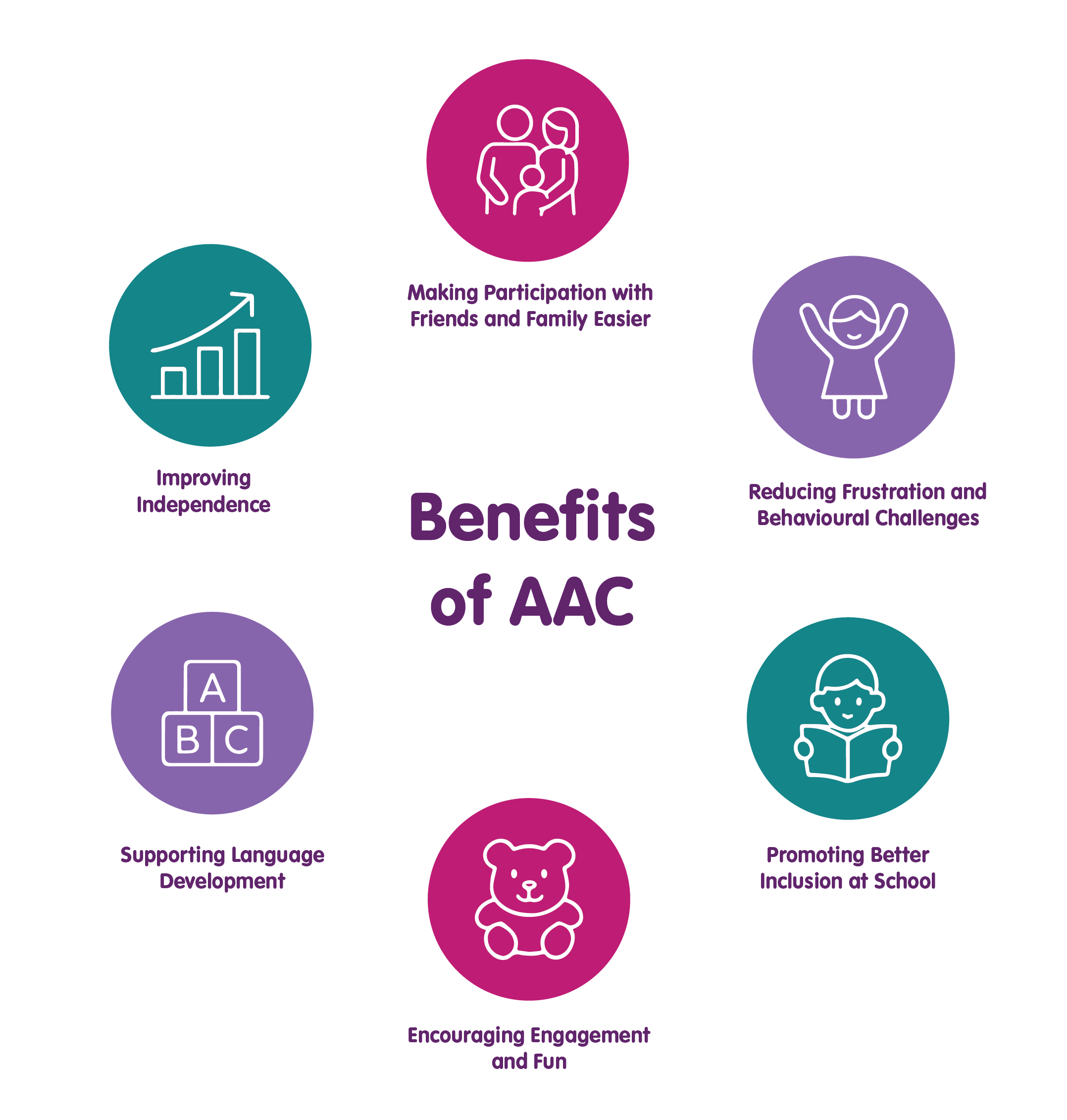
AAC gives your child a way to share their thoughts and feelings. This means they can join in conversations, share experiences, and enjoy time with others. It helps them learn important social skills like taking turns and answering questions. Most importantly, it helps your child feel included and confident when spending time with friends and family.
AAC can help reduce the frustration children feel when they can’t say what they need or want. When children have a way to communicate, they are less likely to get upset. AAC gives them tools to share their thoughts, feelings, and choices, which helps them feel calmer and more in control. Research shows that children who use AAC often have fewer behaviour problems because they can express themselves more easily.
AAC can help children to actively participate in classroom activities and lessons. It helps them take part, share ideas, and feel like they belong. Being included makes school more positive and enjoyable.
AAC helps your child to join in the activities they enjoy. It enables them tell you what they like and what they want to do. This means they can take part more fully in hobbies, games, and play.
There is a common myth that ACC can stop your child from developing speech. Research shows the opposite!
AAC often encourages speech development. Just like learning sign language or more than one spoken language can make language skills stronger, AAC adds extra support for communication and expression.
AAC allows your child to speak for themselves. It helps them make choices, ask for what they need, and share their ideas without always relying on others. This independence builds confidence and makes daily life easier for both you and your child.
Introducing AAC was the best thing I’ve helped my boy achieve. It's been amazing! He's able to show me how clever he is, request things, and talk about subjects he enjoys.
Alternative and Augmentative Communication (AAC)
Alternative and Augmentative Communication (AAC) devices enable those who have lost the ability to speak, or have not developed speech, to communicate.
There is a wide variety of AAC devices available; however, some of the most common speech aids are:
Grid Pads
Grid pads are touchscreen tablets developed specifically for AAC communication. They are versatile device that can be modified for the users needs. A grid pad can be linked to external eye gaze technology or used on their own. There is also software available for children who haven’t learnt to speak yet. Users can add their own popular phrases, scan their own symbols and pictures in and record sound effects from the real world.
My son has Grid for iPad with a voice box. He is using it here to sing along to the 12 days of Christmas. It was provided and funded by NHS SALT. It was a battle to get, with lots of hoops to jump through, but it has been worth it.
Lightwriters
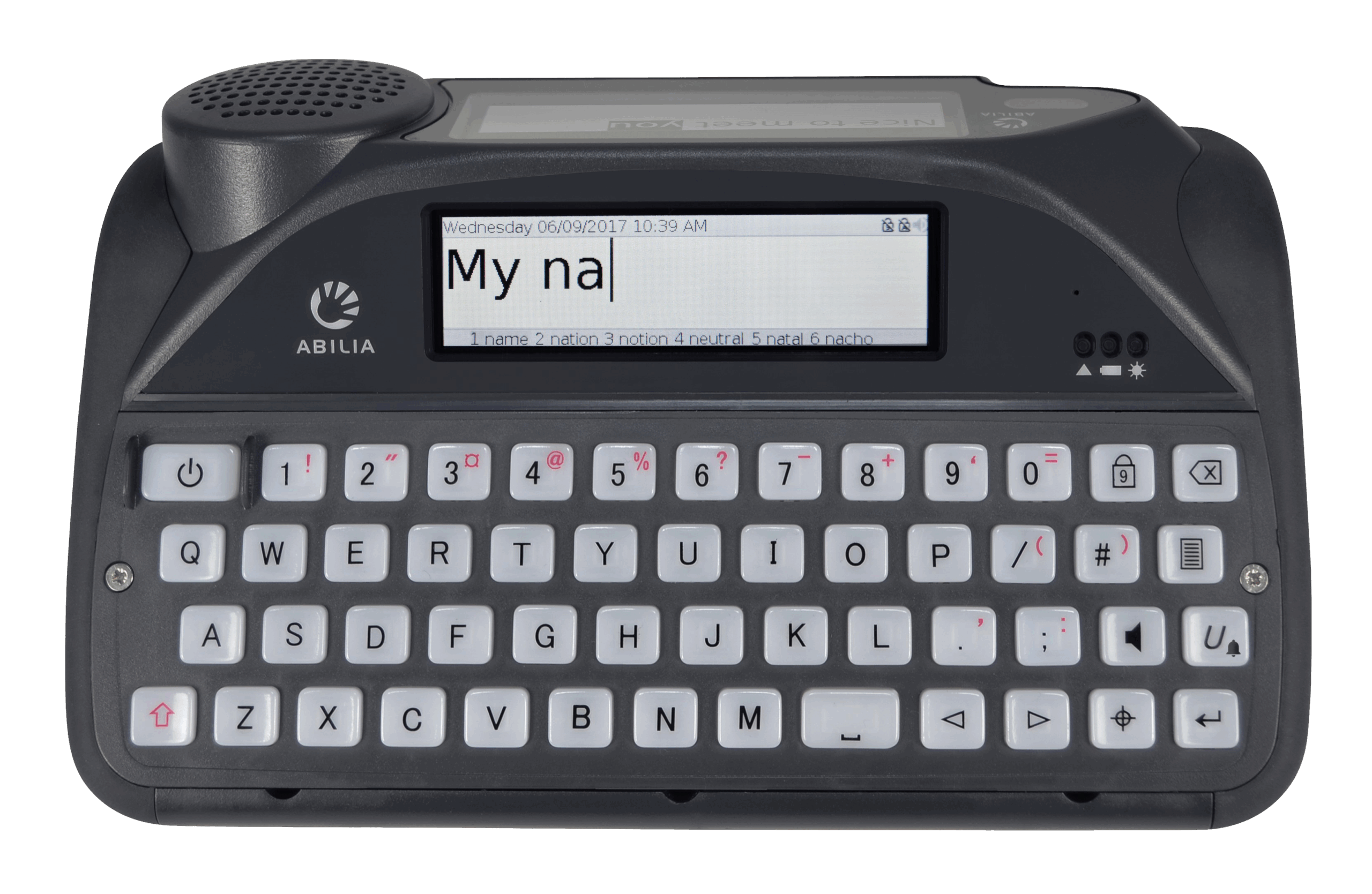
A Lightwriter is a switch and keyboard communication device. The user types messages, which are then relayed through the speakers by an automated voice.
Eye Gaze Technology
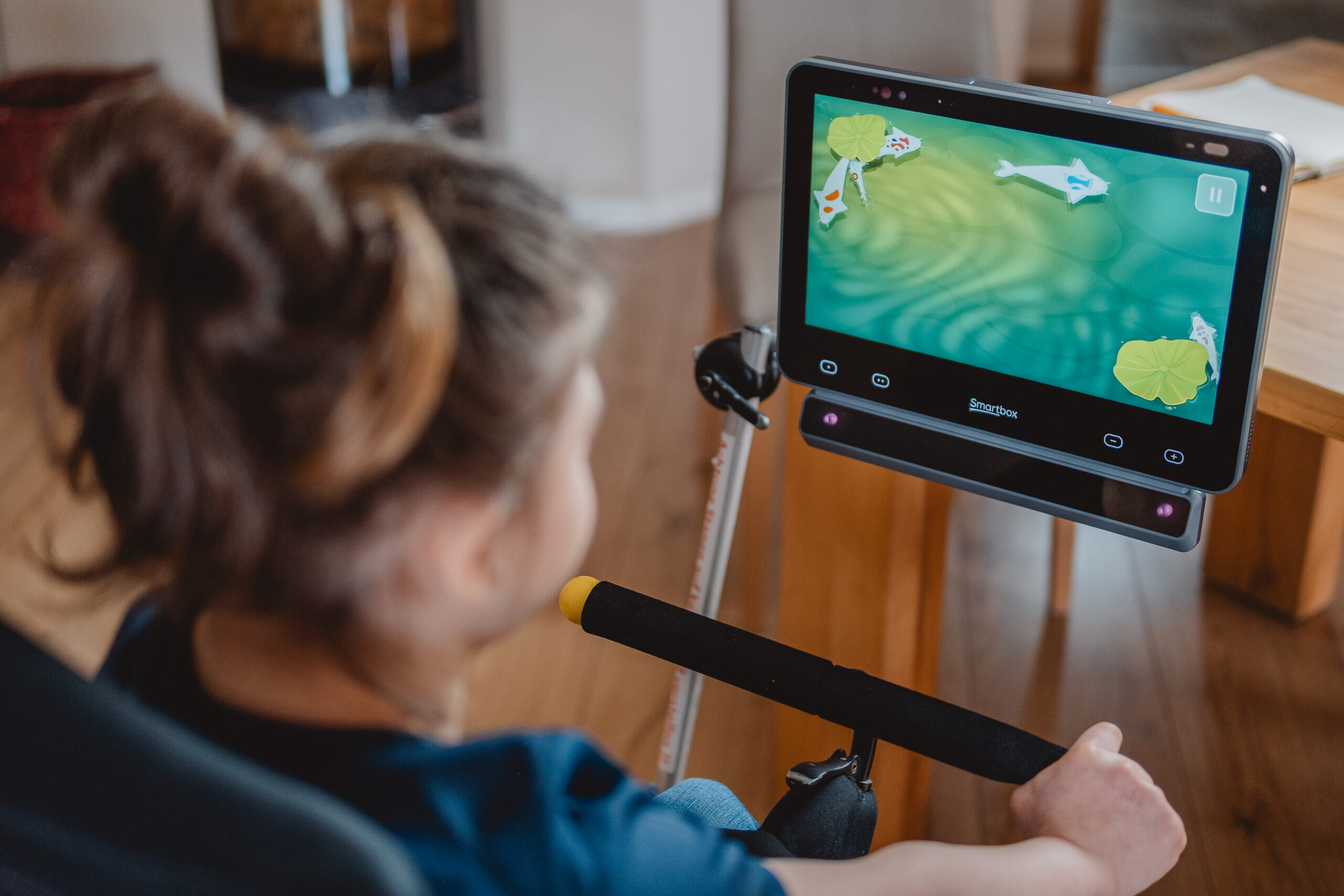
Eye Gaze Technology uses eye movement to enable users to access hands free communication without requiring any additional body movement. This allows users to independently navigate their chosen communication programme. The device tracks the user’s eye movements, replicating their gaze on the screen like the movements of a mouse.
Alternative and Augmentative Communication (AAC) Apps
AAC apps use similar technology to that of Grid Pads but focus more heavily on picture-supported phrases.
There is a range of communication apps available. This ‘wheel‘ of AAC Apps by CALL Scotland, provides a categorised guide to iPad Apps for people with complex communication support needs who may need to use some form(s) of AAC. Click here to see the guide for AAC iPad apps.
Speech and Language Kids have created an article where they have reviewed the best AAC apps of 2025. It contains a few suggestions of apps you could consider and a bit of information about each one. Click here to see the AAC app suggestions.
This is my son's phonics keyboard. He spells all the words himself and is learning about sentence structure.
Alternatives to Technology
There are also Augmentative and Alternative Communication Systems that don’t involve technology devices. The are often referred to as ‘low-tech’ AAC solutions. They can be very useful because, they are:
- Quick and easy to use: A low tech solution may sometimes be more accessible than your child’s regular AAC device
- Better in certain situations: There may be some situations in which your child may not be able to use their AAC device For example, in the bath, during a hospital stay, on transport, or in respite care.
- Great as a backup: If the high-tech device stops working, your child can still communicate.
- Low cost: Usually much cheaper, so you don’t need to go through funding processes.
- May be required first: Often, you need to show your child can use a low-tech AAC system before getting statutory funding for a high-tech device.
Here are a few examples of some low-tech AAC solutions:
Communication Books
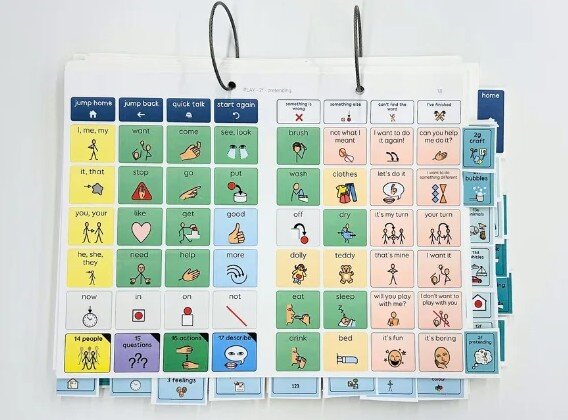
Picture communication books contain pages with pictures, symbols, or words. These can be arranged by categories, activities, alphabet, or a mix of these.
Children use the book by pointing to pictures or words to show what they need, feel, or want to say. Communication books can be personalised for different stages of language development or levels of difficulty. They are often used during supported conversations. Most books include core vocabulary (important everyday words). Extra pages can be added for specific topics based on the person’s interests.
SmartBox have Communication Book resources that you can personalise and print here.
Picture Exchange Communication System (PECS)
Picture Exchange Communication System (PECS) involves using pictures for visual support to help an individual communicate. The person gives a picture to ask for something or share an idea. It starts with simple requests and later moves to short sentences.
Makaton
Makaton is a communication system that uses signs, symbols, and speech together. It was designed to help people who have difficulties with understanding or using spoken language. Makaton signs are based on British Sign Language (BSL), but they are used alongside spoken words to support communication.
How Do I Begin The Process of Getting an AAC Aid for My Child?
Funding and assessment services are organised differently depending on where you live. Below is a general overview of what the process typically entails, though it may vary depending on your region.
A good first step is to raise the topic of assistive technology with your speech and language therapist. You could also begin this process through school services. If you do not have a speech and language therapist, speak to any of your child’s healthcare professionals, as they may be able to direct you to the right person.
This may be a specialised, local or independent service in England or a local, regional, or national service in Scotland, Wales, and Northern Ireland. Click here to see the decision chart that is used as the referral criteria for specialised AAC services.
Referrals must be made by a GP or Speech and Language Therapist. However, you can find AAC Services near you using Ace Centre’s NHS Service Finder. Each AAC Service publishes its referral form and it can be helpful to see what information will be required. The NHS Service Finder tool also signposts to wheelchair services for mounting and environmental control services.
Before we could have an electronic aid, we had to prove he understood symbols and how to communicate (i.e. through a reciprocal conversation). We spent months with him using a paper-based communication book (PECS). He was extremely proficient with that so after some pushing from me and with the help of a great Speech and Language Therapist (SALT) they agreed to assess him for an aid.
How and where the assessment takes place will depend on the organisation assessing you. You can click on the purple button to see what to expect during the assessment.
For many AAC services, your child must have developed certain skills before they are able to qualify for an AAC.
If they haven’t developed these skills, AAC may still be beneficial, but you may need to explore alternative funding pathways. You could talk to your speech and language therapist about what might be helpful and ask about other sources of funding. You can also scroll down for potential charities and organisations that may provide funding or guidance.
The next step was to get a SALT from Lincoln to assess him. He was able to demonstrate his understanding of how to communicate and his understanding of symbols, so she agreed to trial the electronic aid.
After your assessment, SALT may recommend that you trial some equipment. This may involve various checks and assessments, after which the aid is adapted to meet your child’s interests and needs.
There are four main companies that provide AAC solutions:
These companies will normally allow you to trail the AAC equipment for a set amount of time for free before buying the equipment. Depending on the company, they may also offer set up support and training free of charge.
Trialling equipment through your school
You may also may be able to trail equipment through your child’s school. From autumn 2025, the government started a new plan to help schools that support children with Special Educational Needs and Disabilities (SEND). In this plan, some schools can borrow assistive technology and use it with their students before deciding to buy it.
If you think this could help your child, ask their school or your local council if they are part of this plan or have something similar.
Trialling equipment through lending libraries
You could also trial equipment through a lending library. Some charities have schemes available. For example, Cerebra have a lending library containing communication aids and Gympanzees’s Lending Library can be accessed by families in Bristol and nearby areas. You can also search online to see if there is a lending library for assistive technology near you.
My child’s GRID had a keyboard, but it wasn’t the same as a computer keyboard, so she changed it to a QWERTY one for him to make it easier. After a couple of years, they agreed he could have the aid on a permanent basis.
Once you have trialled some AAC equipment and strategies, and everyone agrees, the service will recommend which tools and/or strategies they will provide for you. In some instances, the equipment may be provided, but sometimes you may need to look to education authorities or charitable funding. Scroll down to see more about alternative funding routes for equipment.
You can find out more detailed information on the type of assessment service that you may require here. If you would like to find out what the care pathway is for your area, you could search ‘Care Pathway AAC Service’ + your local council should help you to find the relevant page. You can also find the national care pathway here for Scotland and here for Wales.
I would say do your research and be sure what you are after before pushing SALT. It is a battle but it has been worth it for us.
Alternative Funding Routes for Equipment
It’s possible that your child may benefit from a AAC device but they are not eligible for funding under the NHS criteria. If this is the case, you could either try to get funding via education or through charities:
If you can’t get funding for an AAC device through the NHS, you might be able to use your child’s EHCP (Education, Health and Care Plan) to pay for it.
If your child doesn’t have an EHCP but has extra needs, they might still be eligible. You can learn more about getting an EHCP for your child here.
What Is an EHCP?
An EHCP is a legal document. It says what support your child needs for education, health, and care.
- Section B: Education needs
- Section C: Health needs
- Section D: Care needs
A local authority is legally responsible to meet for meeting and supporting the educational outcomes. They must also meet and support any health and care needs if these assist with a child’s special educational needs.
If the health or care needs help your child ‘learn or train’, they count as special educational needs and should go in Section B. This will often include provisions for assistive technology. This is because without assistive technology or AAC, some children would not be able to access learning.
Identify Your Child’s AAC Needs In Section F
It is important that for all special education needs identified Section B, the plan must include details in Section F (the “provisions” section). This makes the local authority legally responsible for funding it.
The provisions must be detailed, specific, explain exactly how the child or young person will achieve the desired outcomes.
What Should Section F Include?
Section F must explain:
- What will be provided (e.g., a voice-output device in the classroom)
- Who will provide it
- When it will be provided (how often)
- How long it will be provided
Example:
Section B of your child’s EHCP might say their special educational need is “assistance with communication to aid the child’s learning”. needs help with communication to support their learning.
If your child needs eye gaze technology or speech recognition software because it is their main way to communicate, this should be written in Section F.
Section F explains what will be provided. Any assistive technology that helps your child reach their learning goals should be included here. All details about the provision must be included here.
Charity Funding for AAC
There are a number of charities that will either fund or fundraise for equipment:
- The Sequal Trust is a national charity that fundraises to provide communication aids for disabled people of all ages across the UK, with speech, movement, or severe learning difficulties. Any individual with disabilities within this remit, solely in receipt of benefits or has a low disposable income and who does not meet NHS criteria for the provision of a communication aid, can apply for assistance either personally, through a friend or family member, or by referral from their Speech and Language or Special Needs Tutors. These healthcare professionals will then be asked to supply them with an assessment of need.
- Family Fund can provide computer and tablet grants to support your disabled or seriously ill child. These include computers, laptops, iPads and a variety of other tablets. You may be able to get a tablet for your child to access an AAC app.
- Variety can fund a broad range of specialist equipment, including communication aids and software.
- Florence Nightingale Aid in Sickness Trust can provide funding for communication aids. Please note: the application must be made on your behalf by someone with a medical background, or by a social worker, occupational therapist, district nurse, health centre staff, another charity, or the Citizens Advice Bureau.
- REACT can provide sensory equipment, including communication aids.
- ARCOS loans equipment, including items that support communication needs.
Help finding funding:
SmartBox may be able to help to find a national or local charity that could help if you do not qualify for NHS funding.
We got the iPad funded from family fund and then paid for the app. I taught my son all he knows on his app as we had no support from SALT. Now he can tell where he would like to go, sing songs with me, choose what to watch on TV and just have conversations about the topics he likes to talk about.
Steps to Success with Your Child’s AAC Device
Check out our easy-to-follow checklist, created with SmartBox, packed with helpful tips to make introducing an AAC device a positive and successful experience for you and your child.
Where Can I Get More Information About Assistive Technology?
The following organisation have a lot of good resources and information around assistive technology:
If you have any comments, ideas, or suggestions about this article please contact us at [email protected]
Please don’t forget to leave feedback on this article!
Rachel Carluke, Family Information Officer
First published: December 2025
Review due: December 2026